- DATE:
- AUTHOR:
- FGI Tech

Introducing the Notifications Center
We are excited to announce the launch of a powerful new feature on the TRUST platform: the Notifications Center. Designed to streamline your experience and enhance communication, the Notifications Center revolutionizes how you manage coverage notifications.
What is the Notifications Center?
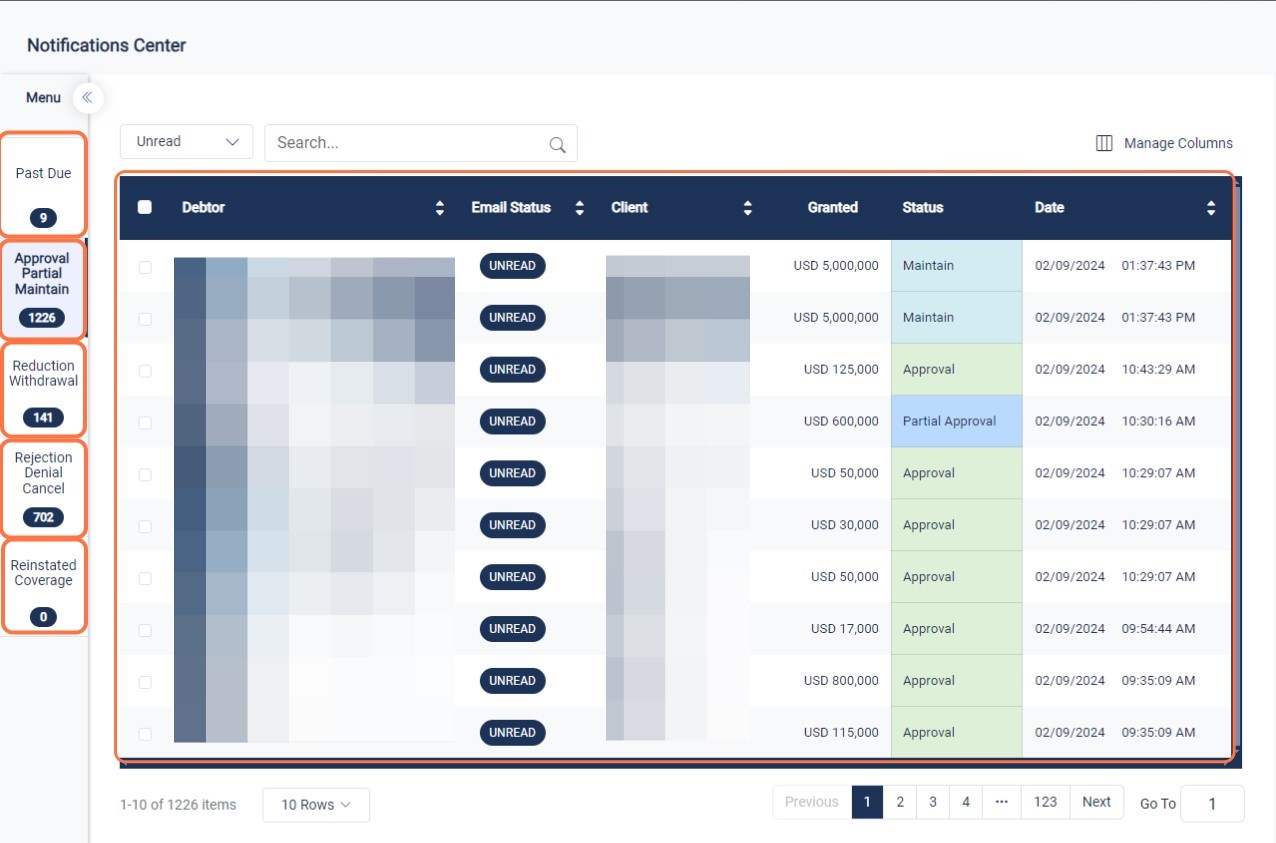
The Notifications Center is a centralized hub located within the homepage of the TRUST platform. It serves as your command center for managing all coverage notifications, ensuring that you stay informed and up-to-date with critical information.
Key Features:
Centralized Management: With the Notifications Center, you can now manage all your coverage notifications in one convenient location. Never miss an update.
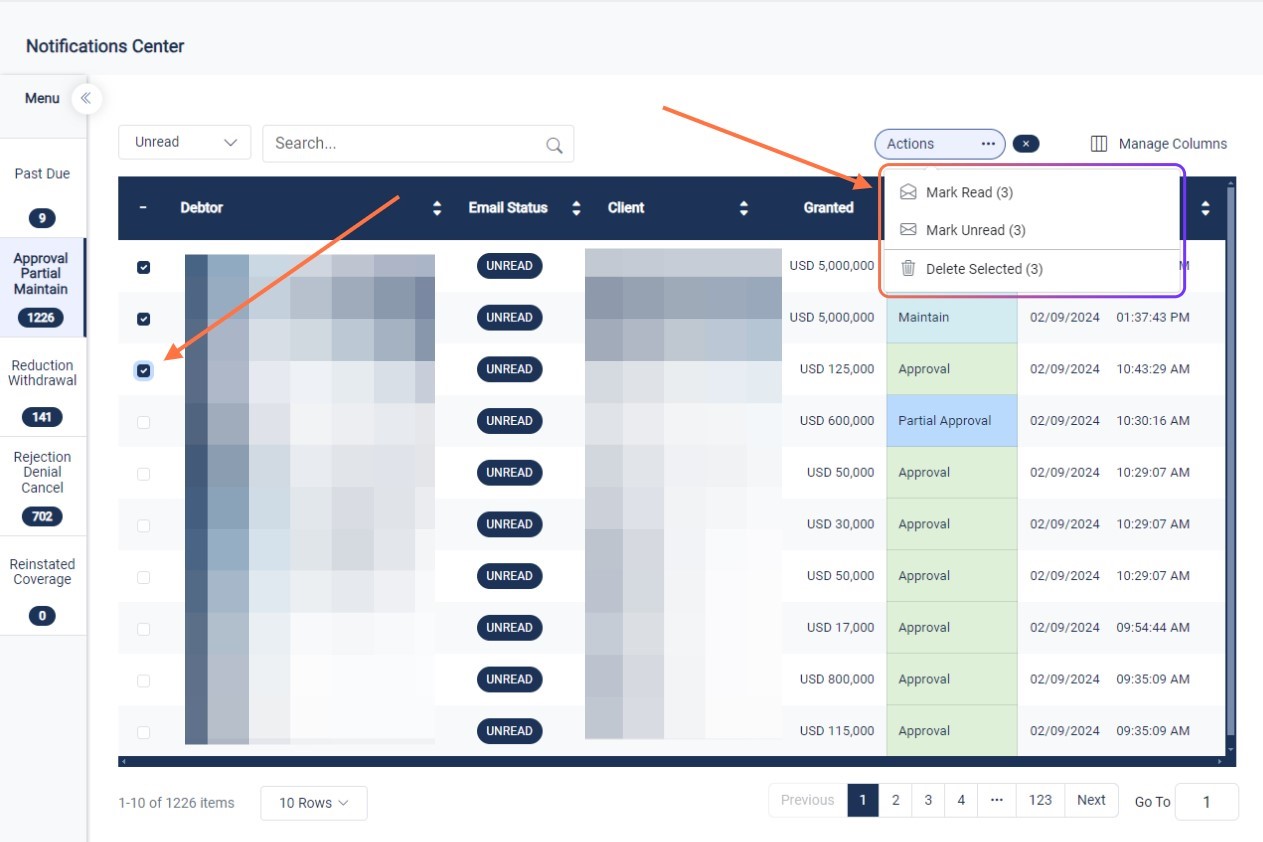
Inbox-Like Experience: Think of the Notifications Center as your email inbox for coverage updates. You can mark notifications as read or unread, organize them according to priority, and keep track of important alerts effortlessly.
Timestamped Updates: Every notification is timestamped, providing you with valuable context about when the update was received. This feature enables you to track the timeline of events and stay informed about the latest developments.
Clickable Links: Notifications in the center come with clickable links that take you directly to the relevant page or section within the TRUST platform. This seamless navigation saves you time and effort, ensuring that you access the necessary information with just a click.
Dynamic Page Updates: If multiple users are accessing the same page simultaneously, the Notifications Center adapts dynamically to reflect real-time changes. You'll always have the most current information at your fingertips, even in collaborative environments. This can help delegate work within your team effectively.
How to Access the Notifications Center:
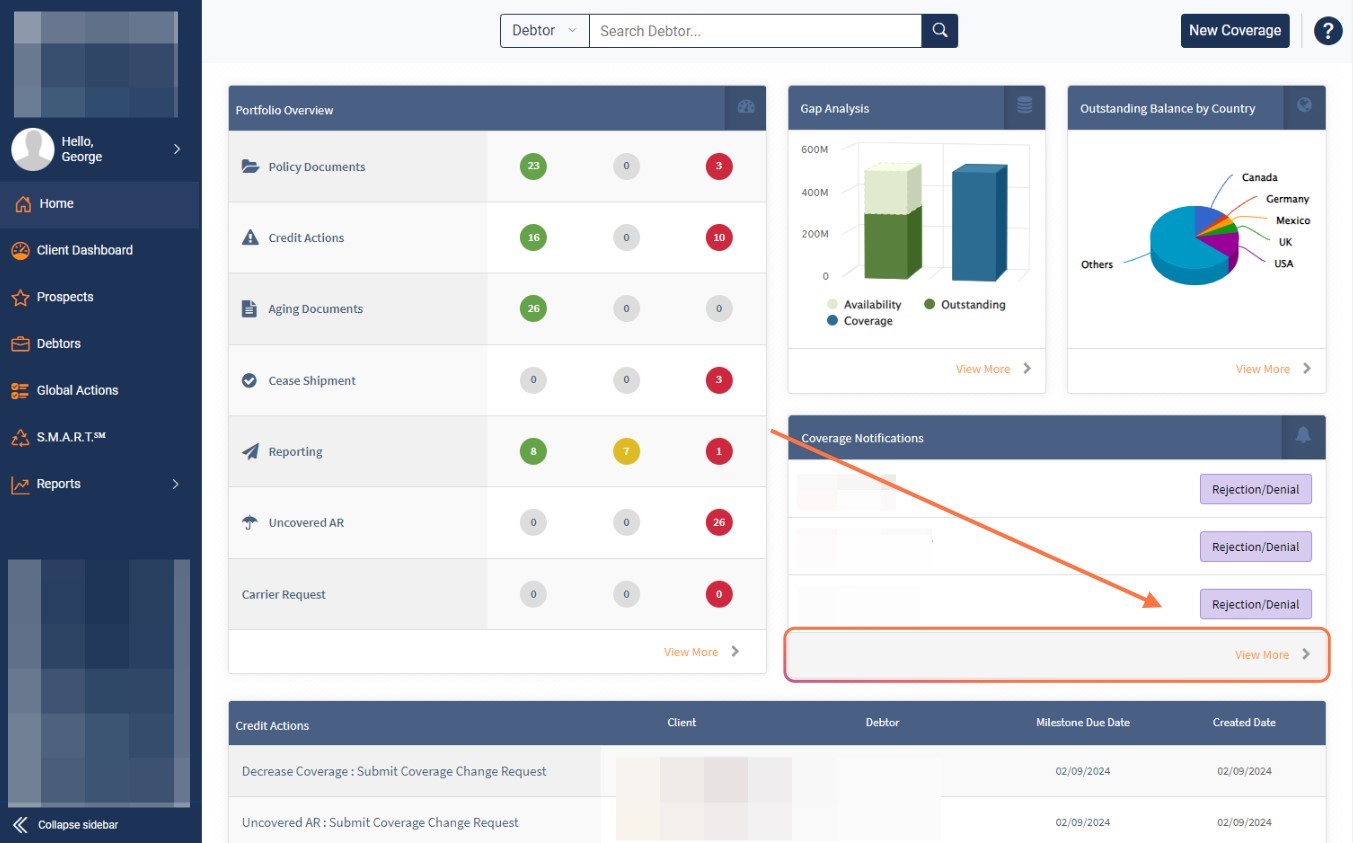
Navigate to the homepage of the TRUST platform.
Click View More under Coverage Notifications
For any questions or feedback about the Notifications Center, please don't hesitate to reach out to our Customer Success team.